
There are no reviews yet. Be the first one to write one.
5 Must-Have VA Productivity Tools to Streamline Your Work in 2025

Introduction: Why VA Productivity Tools Matter
If you’re a virtual assistant, your reputation lives and dies by speed, clarity, and reliability. The right VA productivity tools compress timelines, remove guesswork, and make you look effortlessly professional. Instead of juggling tasks across tabs, these tools consolidate your work into a clean, repeatable system clients can trust.
Below are five battle-tested VA productivity tools that help you plan, communicate, create, and deliver faster — with less stress and fewer mistakes.
The 5 Must-Have VA Productivity Tools
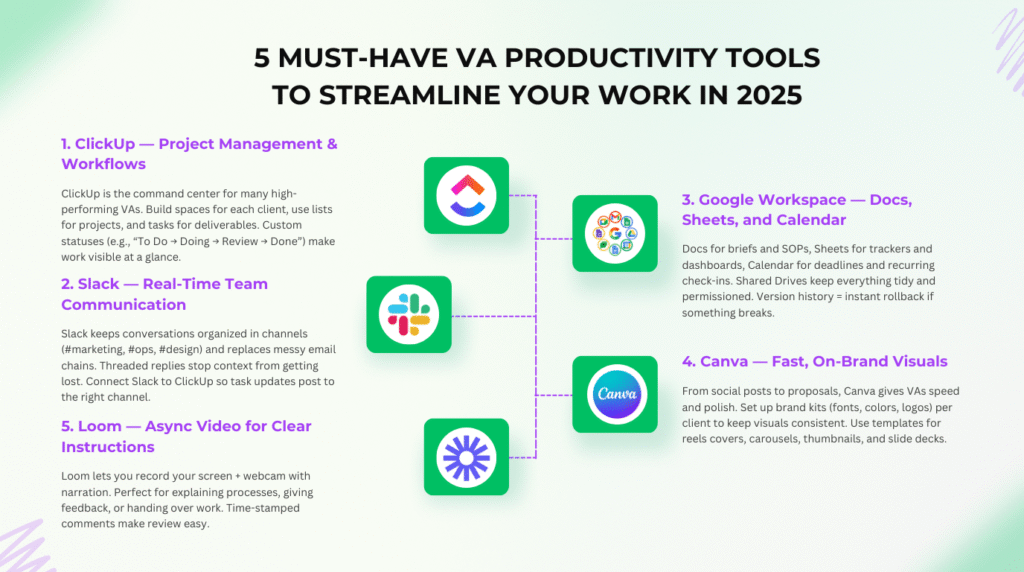
1. ClickUp — Project Management & Workflows
ClickUp is the command center for many high-performing VAs. Build spaces for each client, use lists for projects, and tasks for deliverables. Custom statuses (e.g., “To Do → Doing → Review → Done”) make work visible at a glance. Templates let you replicate winning processes in seconds.
Why it boosts VA productivity: Everything lives in one place — briefs, comments, attachments, due dates. No more hunting through email threads to find what’s due.
Quick setup:
- Create a Space per client, with Folders (e.g., “Content,” “Operations,” “Admin”).
- Add custom fields like Priority, Effort, and Channel.
- Use Automations to move tasks to “Review” when a checklist hits 100%.
Pro tip: Build a “Recurring Tasks” list (invoices, weekly reports, backups) with schedules so nothing slips.
2. Slack — Real-Time Team Communication
Slack keeps conversations organized in channels (#marketing, #ops, #design) and replaces messy email chains. Threaded replies stop context from getting lost. Connect Slack to ClickUp so task updates post to the right channel.
Why it boosts VA productivity: Faster decisions, fewer meetings, and everything searchable. Set Do Not Disturb to protect deep work time.
Quick setup:
- Create a shared Slack Connect channel with your client for transparency.
- Pin key docs (brand guide, link hub, weekly priorities) to the channel.
- Use /remind for standups and reporting cadences.
Pro tip: Create a #requests channel and require a simple brief template (goal, deadline, assets) to reduce back-and-forth.
3. Google Workspace — Docs, Sheets, and Calendar
Docs for briefs and SOPs, Sheets for trackers and dashboards, Calendar for deadlines and recurring check-ins. Shared Drives keep everything tidy and permissioned. Version history = instant rollback if something breaks.
Why it boosts VA productivity: Real-time collaboration means you and your client can edit simultaneously, leaving comments and resolving questions quickly.
Quick setup:
- Shared Drive per client with a simple structure: 01 Projects / 02 Assets / 03 Reports.
- Use a “Client Link Hub” Doc with all key URLs (analytics, social, website CMS).
- Calendar: color-code projects and add task deadlines from ClickUp via integration.
Pro tip: Turn recurring tasks into Calendar events and invite the client — visible accountability.
4. Canva — Fast, On-Brand Visuals
From social posts to proposals, Canva gives VAs speed and polish. Set up brand kits (fonts, colors, logos) per client to keep visuals consistent. Use templates for reels covers, carousels, thumbnails, and slide decks.
Why it boosts VA productivity: You create modern, consistent assets in minutes — without pinging a designer.
Quick setup:
- Brand Kit: upload logos, colors, and approved fonts.
- Template library: 10 go-to designs per client (IG post, story, blog header, promo banner, PDF).
- Share via view/comment links for lightning-fast approvals.
Pro tip: Build a “Content Vault” folder with evergreen templates you can quickly remix for campaigns.
5. Loom — Async Video for Clear Instructions
Loom lets you record your screen + webcam with narration. Perfect for explaining processes, giving feedback, or handing over work. Time-stamped comments make review easy.
Why it boosts VA productivity: Cuts meetings. Prevents misunderstandings. Faster onboarding for both you and your clients.
Quick setup:
- Create a Loom “Client Training” folder for SOP walkthroughs.
- Keep videos under 5 minutes and add a one-paragraph summary below.
- Link Looms inside ClickUp tasks for context.
Pro tip: Record a “new client toolkit” Loom: where files live, how to request work, typical turnaround times, and how to escalate urgent items.
Frequently Asked Questions (FAQs)
1) Which VA productivity tools should I start with if I’m new?
Start with ClickUp (task control), Google Workspace (docs/files), and Loom (clear async communication). Add Slack and Canva as your workload grows.
2) How do I keep clients from messaging me everywhere?
Set a communication policy. Example: task requests must go through ClickUp, quick chat in Slack, and formal approvals in Google Docs. Document this in an onboarding guide.
3) Can I manage all five tools without getting overwhelmed?
Yes — connect them. Push due dates from ClickUp to Calendar, send task updates to Slack, attach Docs to tasks, and embed Loom links in task descriptions.
4) What’s the fastest way to look more professional to new clients?
Create templates: a ClickUp project template, a Google Docs SOP template, a Canva brand kit, and a Loom onboarding video. You’ll deliver consistency from day one.
Conclusion: Build a Lightweight, Powerful Stack
The best VA productivity tools make your work feel lighter and your output more predictable. Start with ClickUp for control, Slack for clarity, Google Workspace for collaboration, Canva for polish, and Loom for frictionless communication. Standardize your setup once — then reuse it for every client. That’s how you scale your time, results, and reputation.
Pro tip:
For password management, 1Password remains one of the most secure and user-friendly tools available.
When it comes to task tracking, Trello is a proven favorite among virtual assistants and business owners alike.
Read next:
- VA Pricing Strategy 2025: How to Set Rates That Scale
- Scaling Your VA Business: Mistakes to Avoid in 2025
- VA Niches 2025: Proven Guide to Profitable Services
- How to Earn in Dollars as a VA: Step-by-Step Guide
Funnels. Emails. Courses. All-in-one & Free Forever — No tech headaches.
Start Free